
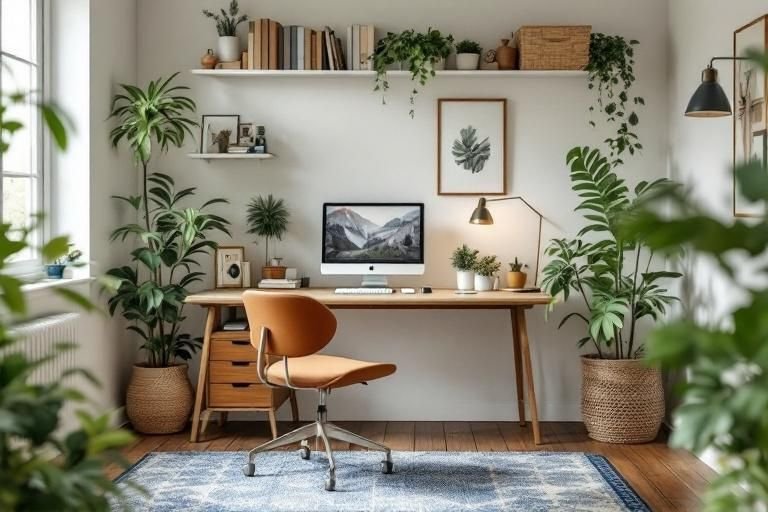
Are you struggling to create a productive workspace at home without breaking the bank? The rise of remote work has made having a functional home office essential, yet many people are unsure how to set up a home office on a budget. With some creativity and smart planning, you can turn any corner of your home into an efficient workspace without overspending. In this article, we’ll share expert insights and actionable tips that can help you design a comfortable and inspiring office environment. From choosing the right furniture to optimizing your space, you’ll learn everything you need to create a budget-friendly home office that meets your needs.
Understanding the Essentials of a Home Office
Setting up a home office on a budget begins with understanding what essentials are necessary for productivity. Start by identifying your primary work tasks to determine the equipment and space you need. This may include a desk, chair, and basic technology like a computer and internet connection. Prioritize these essentials to avoid overspending on unnecessary items. Consider how your workspace can be organized to enhance efficiency, which often requires minimal investment. A focused approach to your needs will help you create an effective workspace without breaking the bank.
Identifying Your Workspace Needs
Begin by assessing your job requirements. If you primarily handle administrative tasks, a simple desk and chair may suffice. If your work involves meetings, consider a dedicated area that accommodates video calls. Write down your must-haves and categorize them into essentials and nice-to-haves to guide your budget effectively.
Choosing the Right Location
Selecting the right location in your home is critical. Aim for a space with minimal distractions and adequate natural light. If possible, choose a room that can be closed off to signal work hours. A designated space helps create a boundary between personal and professional life, enhancing focus and productivity.
Key Points:
- Identify your specific work needs
- Choose a distraction-free location
Budget-Friendly Furniture and Equipment Solutions
When setting up a home office on a budget, furniture and equipment don’t have to be expensive. Start by exploring second-hand options, such as thrift stores or online marketplaces, where you can find quality items at reduced prices. Additionally, consider multifunctional furniture that serves more than one purpose, like a desk that doubles as a storage unit. When it comes to technology, prioritize essential upgrades while maximizing the use of what you already own to keep costs low. Creative solutions will help you stay within budget while still creating a comfortable workspace.
Sourcing Affordable Furniture
Look for affordable furniture options through local classifieds, garage sales, or community groups. You can often find gently used desks and chairs that are still in good condition. Another option is to repurpose existing furniture in your home, such as transforming a dining table into a desk, which can save you money while adding character to your workspace.
Leveraging Technology Wisely
Instead of investing in high-end equipment, assess what you need versus what you want. Use your existing devices and update only the necessary components. For example, improving internet speed can enhance productivity more than buying new computers. Look for free or low-cost software solutions that can meet your work requirements without additional expenses.
Key Points:
- Explore second-hand furniture options
- Repurpose existing items creatively
Selecting the Right Space
Choosing the right space for your home office is crucial for productivity and comfort. Look for an area that is quiet, well-lit, and free from distractions. Ideally, this should be a separate room or a distinct corner that you can dedicate exclusively to work. Take into account factors like noise levels, access to power outlets, and the ability to personalize the space to enhance your focus and creativity.
Assessing Available Spaces
Begin by evaluating your home for potential office spaces. Consider underutilized areas such as spare rooms, basements, or even a corner of your living room. The key is to find a space that can be easily organized and where you can maintain a work-life balance.
Maximizing Natural Light
Natural light can significantly impact your mood and productivity. If possible, position your desk near a window to take advantage of daylight. If your space lacks natural light, invest in full-spectrum bulbs that mimic the effects of sunlight, creating a more inviting environment.
Key Points:
- Choose a quiet, dedicated space for your office.
- Maximize natural light to enhance productivity.
💡 Consider using a room divider if your space is shared to create a sense of separation.
Budget-Friendly Furniture and Equipment
Setting up your home office on a budget doesn’t mean sacrificing comfort or functionality. Prioritize essential pieces of furniture and equipment that offer flexibility and support. Look for second-hand items or DIY solutions to stay within your financial limits while ensuring a conducive work environment.
Choosing Essential Furniture
Start with the basics: a desk and a comfortable chair. Consider using an existing table or desk and enhancing it with a chair that provides good back support. Adjustable furniture can also help you maintain a healthy posture, reducing the risk of discomfort during long work hours.
Utilizing Technology Wisely
You don’t need to splurge on high-end gadgets. Instead, focus on what you really need, such as a reliable computer and good internet connection. Use free or low-cost software solutions for communication and project management to keep expenses down while maintaining productivity.
Key Points:
- Invest in essential furniture for comfort and support.
- Utilize existing technology to minimize costs.
💡 Repurpose furniture from other rooms instead of buying new items.
EXPERT TIPS Pro Advice
Create a flexible workspace.
Design a space that is easy to rearrange as your needs change. Flexibility allows for better adaptation to different tasks or projects, enhancing productivity.
Incorporate greenery.
Adding plants to your workspace can improve air quality and reduce stress. Choose low-maintenance plants that thrive indoors to enhance your environment.
Establish a routine.
Having a set schedule helps to separate work from personal time, increasing focus and efficiency. Consistency can enhance your overall productivity.
Optimize your internet connection.
Ensure that your internet connection is robust enough for video calls and large file uploads. A stable connection is vital for maintaining productivity while working from home.
Use wall space effectively.
Incorporate shelves or bulletin boards to maximize vertical space for storage or reminders, keeping your desk clutter-free and organized.
Frequently Asked Questions
Conclusion
Setting up a home office on a budget is achievable with some thoughtful planning and resourcefulness. Focus on essential items, create a productive workspace, and utilize existing resources to minimize costs. Personalize your setup and invest wisely in technology to enhance your work experience.
🎯 Key Takeaways:
- Identify essential items for your workspace.
- Repurpose existing furniture to save money.
- Organize your office to improve productivity.
- Incorporate low-cost decor for personalization.
- Invest in technology that boosts your efficiency.
Expert Advice: Embrace creativity and resourcefulness when establishing your home office. Prioritize comfort and functionality while staying within budget to create an inspiring work environment that fosters productivity.
Start planning your budget home office today by assessing your space and resources, and take the first step toward creating your ideal workspace.
Leave a Reply